Free “Beat the Tide” Transition Timer for Classrooms
Turn slow classroom transitions into a fun, high-pressure challenge. The “Beat the Tide” tool is a unique visual timer where the water visually rises and a sonar blares to eliminate stalling. A daily classroom essential that is completely free and requires zero prep.
🚀 Launch Beat the Tide
What is the “Beat the Tide” Timer?
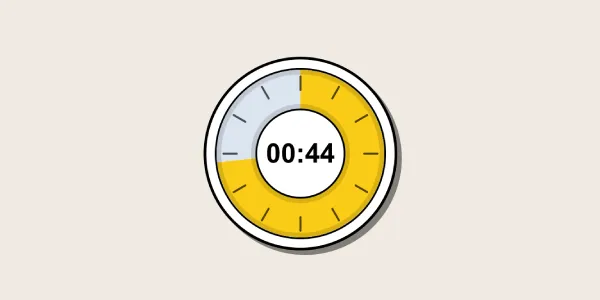
The DeskPety “Beat the Tide” tool is a high-pressure transition timer designed as a daily classroom essential. Unlike standard digital clocks that simply count down numbers, this tool uses visual gamification to create a sense of urgency.
As time ticks down, the screen visually fills with rising water, accompanied by a blaring sonar sound effect. This multisensory approach forces students to stop stalling and complete their tasks before the tide takes over the screen.
How to Use It in Your Classroom
Perfect for enforcing strict deadlines without the teacher having to nag. Setting it up takes just seconds:
- Project the Tool: Launch the timer on your smartboard or projector.
- Set the Deadline: Choose a quick duration suitable for a transition (e.g., 60 seconds to clean up desks).
- Start the Tide: Click start. The water rises and the sonar blares, creating an exciting rush to finish the task before the time is up.
When to Use It - Ideal Classroom Scenarios
- Clean-Up Time: Make packing up bags, organizing supplies, and clearing desks a race against the rising water.
- Activity Transitions: Moving from independent reading to collaborative group work? Use this high-pressure transition timer to ensure the switch happens quickly and smoothly.
- No More Stalling: Perfect for the end of recess or when students are dragging their feet to get their notebooks out. The visual and auditory cues naturally speed up their actions.
Why Teachers Love This Transition Tool
It acts as the teacher’s automated red light / green light system for time management. By transferring the authority of the deadline to the “rising tide,” teachers no longer need to raise their voices or constantly count down from ten. It builds a fun, gamified routine that runs completely in the browser with zero ads.
Frequently Asked Questions
Do I need an account to use the Beat the Tide timer?
No! This daily classroom essential is completely free to use. You don’t need to register or log in to access the tool.
Can I turn off the sonar sound?
Yes. While the sonar blares to create urgency, the tool fully supports our master audio mute toggle if you only want to use the visual effect of the rising water.
How is this different from a standard classroom timer?
While standard timers are great for quiet testing, Beat the Tide is specifically designed as a high-pressure transition timer. The rising water animation and sound effects are meant to motivate quick, active classroom changes.